ExcelDiff
The Ultimate Excel Compare Tool
ExcelDiff compares two Excel files in various formats(.csv, .xls, .xlsx, xlsm, xlsb, etc.) and show their differences visually.
Detect correctly not only changed cells but also changed format cells and insert rows/columns.
The trial version is fully functional.
Download Free Trial
In order to use it more conveniently, we recommend using free
ExcelDiffTool
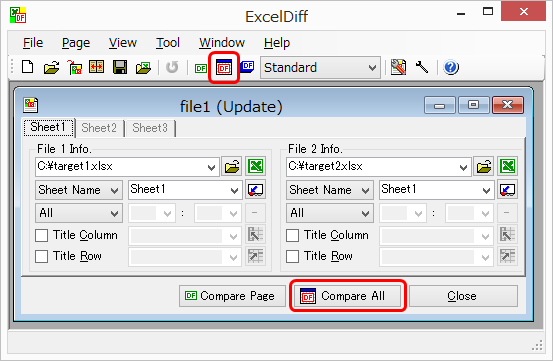
Step 1 - Drag and drop comparison files.
Step 2 - Push ″Compare All″.
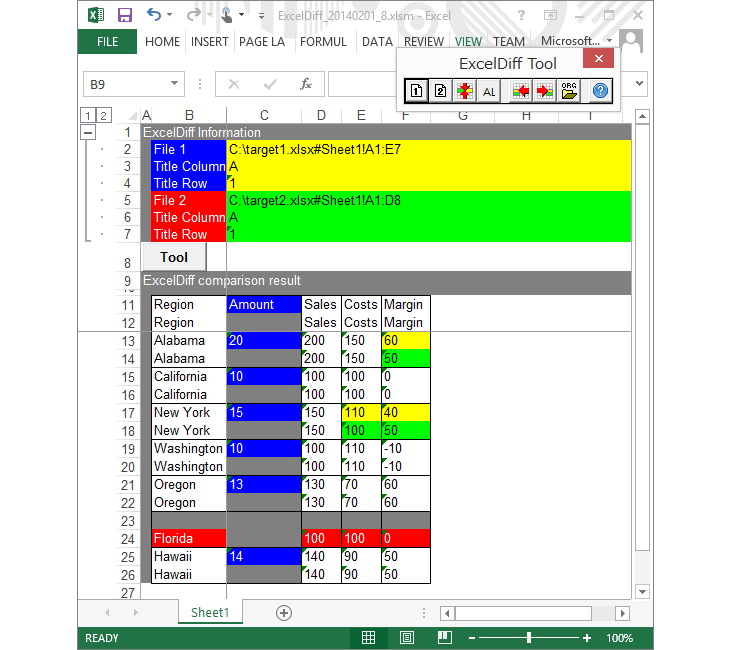
Step 3 - Comparison result is displayed.
Features
Compares Microsoft Excel files and folders.
Presents differences in a visual excel format that easy to understand and handle.
Comparison results keeps original layout.
Detects cell differences.
Detects insert/delete columns, detects insert/delete rows.
Can compare Color, Fonts and Formulas.
Can select compare target, sheets in the same file, different regions on the same sheet and so on.
There are several options to compare files such as: capital/small characters, ignoring spaces, etc.
Saving compare option allow to easy to repetitive operation.
Does not modify the contents of original files.
This video explaining how to compare Excel files.
VIDEO
Screenshots
File Compare Screen
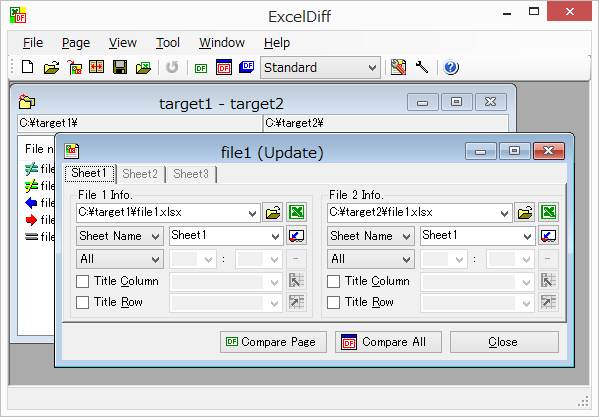
Excel Diff comperes two files.
Compare sheet, compare range can be set up.
You can choose all sheets or specified sheet as comparison object.
By specifying "Title Column" and "Title Row", it is possible to compare more correctly.
For more information.
Folder Compare Screen
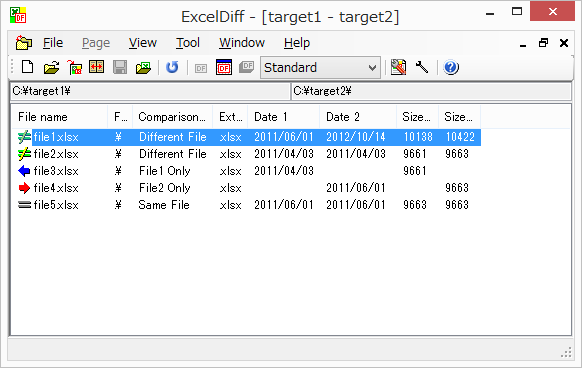
Excel Diff is possible to compere two folders.
The compare includes subfolders.
Clearly display the same file, different file, file existing on only one side.
For more information.
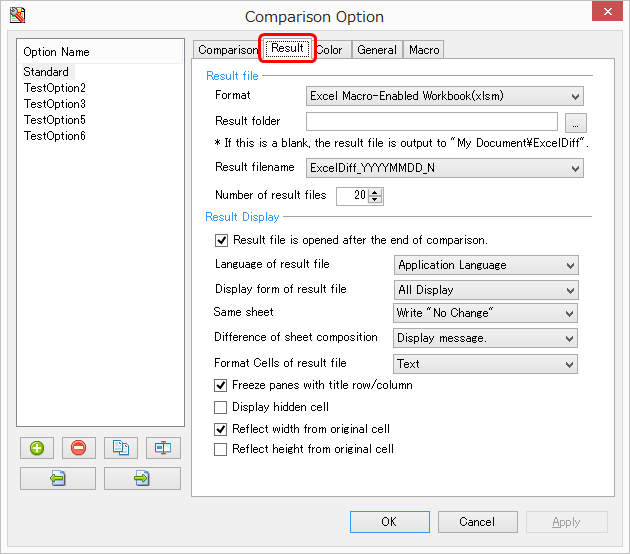
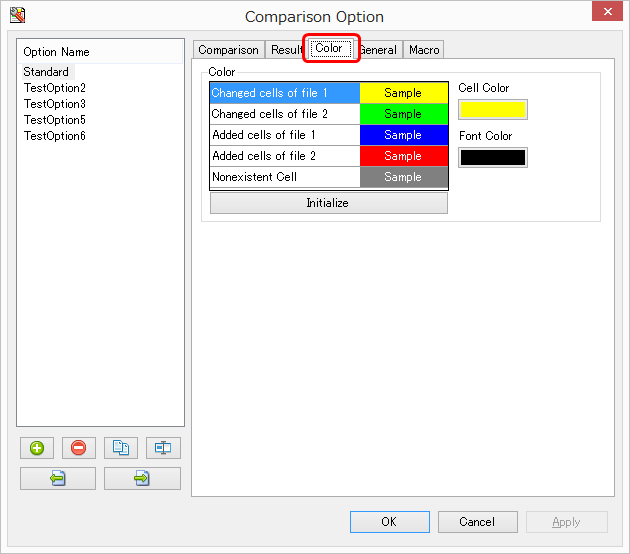
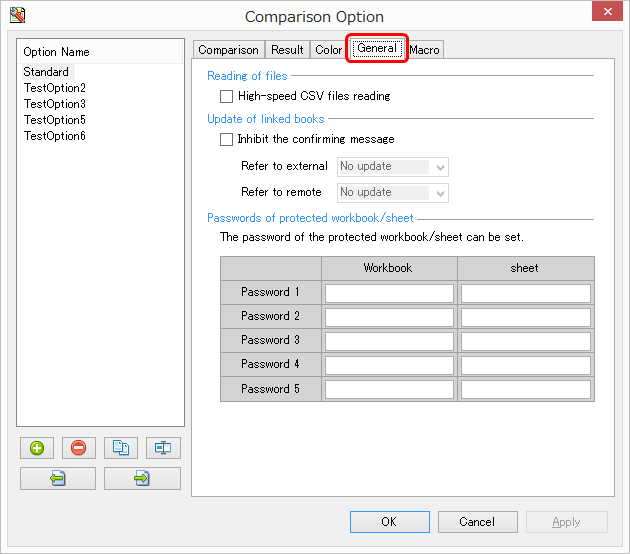
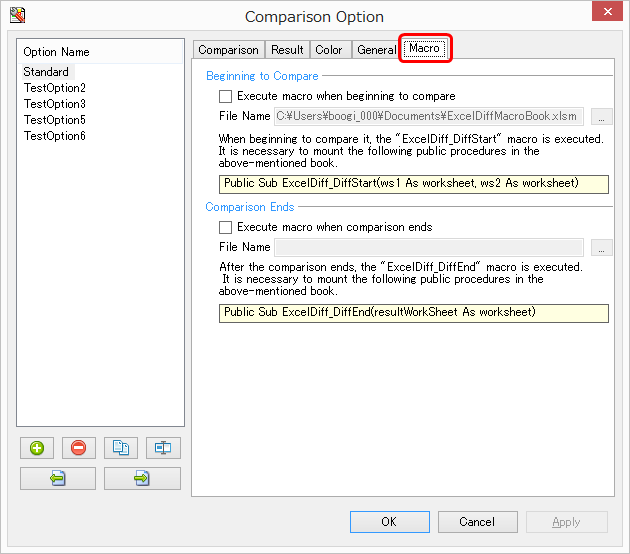
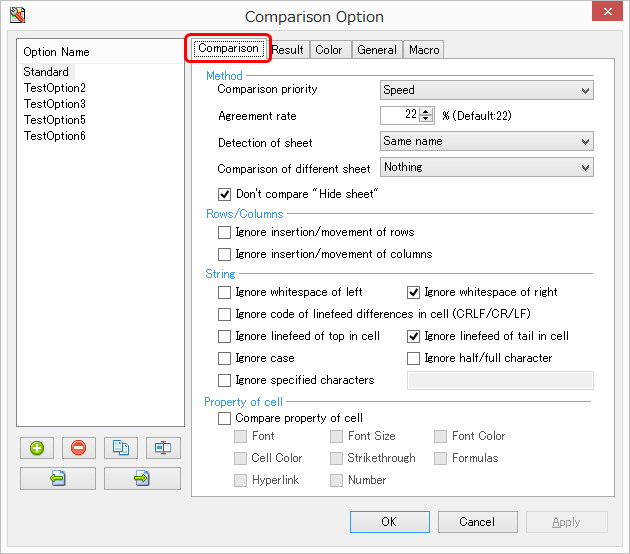
Compare Option Screen
Excel Diff has various options for compare.
You can specify the format of the comparison result, the color of the comparison result, and a macro to be executed before and after comparison. That provides additional comparison flexibility.
You can compare the prodected book and sheet.
For more information.
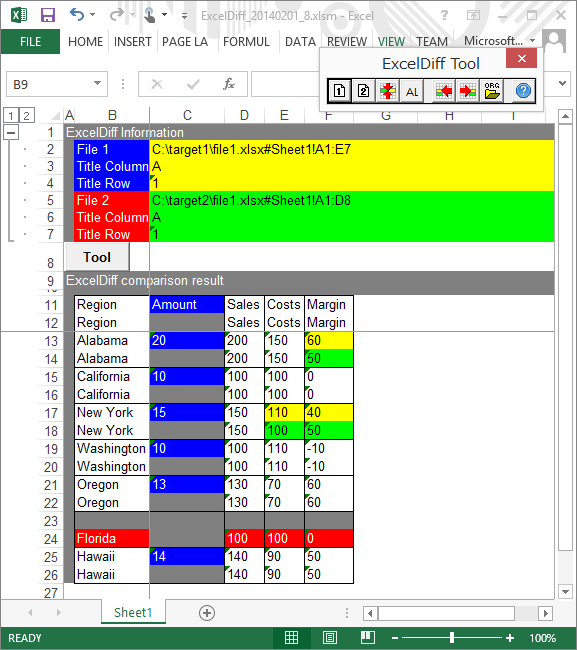
Compare Result
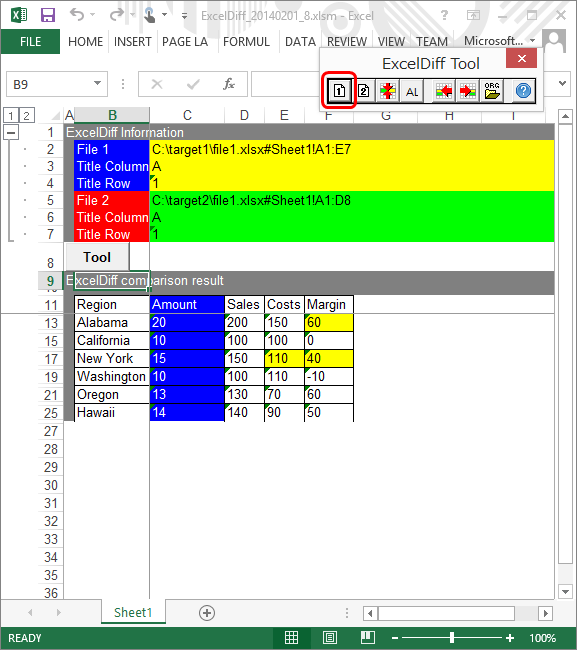
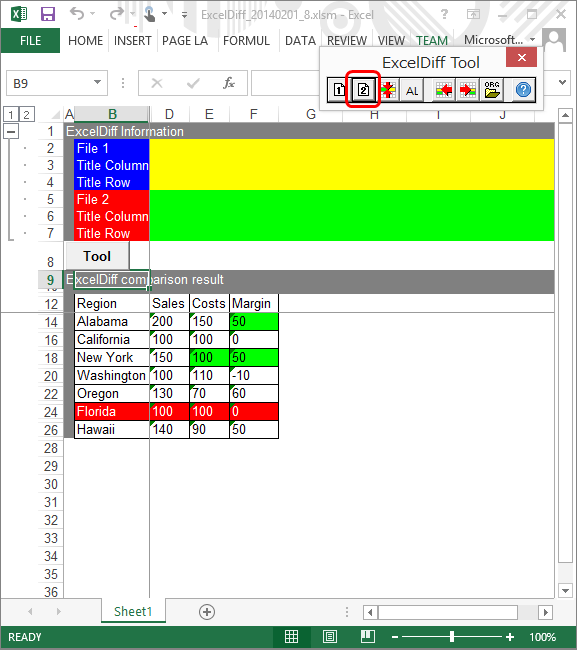
Excel Diff compare two files and show the compare result visually.
Clearly display difference of cell, insertion/deletion of rows, insertion/deletion of columns.
Since the comparison result is saved as an Excel file, it is useful to the evidence of the work.
"ExcelDiff Tool" has some useful functions. (Show only differences. Jump to next difference. etc.)
For more information.
Tech Specs
Support OS
OS Version
ExcelDiff V4
ExcelDiff V5
Microsoft Windows XP
Support
NoSupport
Microsoft Windows 7
Support
Microsoft Windows 8
Microsoft Windows 10
Support Excel
Excel Version
ExcelDiff V4
ExcelDiff V5
Microsoft Excel 97
Support
Support
Microsoft Excel 2000
Microsoft Excel XP
Microsoft Excel 2003
Microsoft Excel 2007
Microsoft Excel 2010
Microsoft Excel 2013
Microsoft Excel 2016
Not Support
Product News
Excel Compare Tool - "Excel Diff" - has been tested in the
Softpedia
labs using several industry-leading security solutions and found to be completely clean of adware/spyware components.

 English
 Japanese
 ExcelDiff
 ExcelDiffTool
 CellViewDiff
 gTaskSync
 gCalendarSync

 together.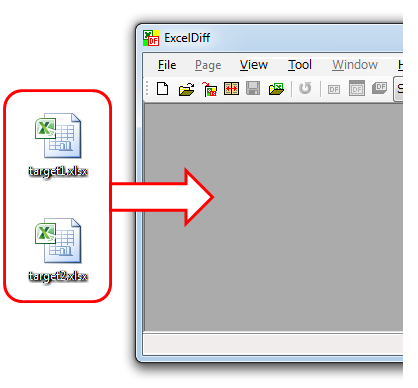

 CellViewDiff
 gTaskSync
 gCalendarSync